
Keep making.
Know your money.
Take one business task off your studio list. Use a free browser tool to draft an invoice payment reminder, review four money categories or check one potential client. No signup or email needed.
Choose a free taskFree browser tools · no signup
Choose one free browser task.
- Browser reminder
Ask for an invoice payment update
Adapt an overdue reminder or a follow-up after a promised payment date. Copy an editable message to check and send yourself.
Draft a payment reminder - Browser money review
See money still owed and bills ahead
Keep income received, costs paid, unpaid invoices and upcoming commitments separate. Make a copyable review note with four totals and two dated actions.
Make a studio money review - Browser client check
Check one potential client before pitching
Record portfolio fit, public evidence and contact rules for a candidate you found. Copy a note with your contact, research-further or park decision and next action.
Check one potential client
Free, with no signup or email needed. Details you enter stay in the open page; they are not sent to Brindle or saved. Reloading or leaving clears them, so copy your output before you go. Money reviews help you understand your business, not provide accounting or tax advice. You research candidates yourself; no leads or sales are guaranteed.
Explore all free tools and printablesWant to keep your work for next time?
Brindle’s private browser app saves the money records, manually researched client shortlist and dated actions you enter in your account. Free-tool entries do not transfer. Export or delete your saved records anytime. Creating an account does not start a payment; recurring support is separate.
See one fictional review before signup.
Explore the app walkthrough →Start a private saved review Already using Brindle? Return to your work →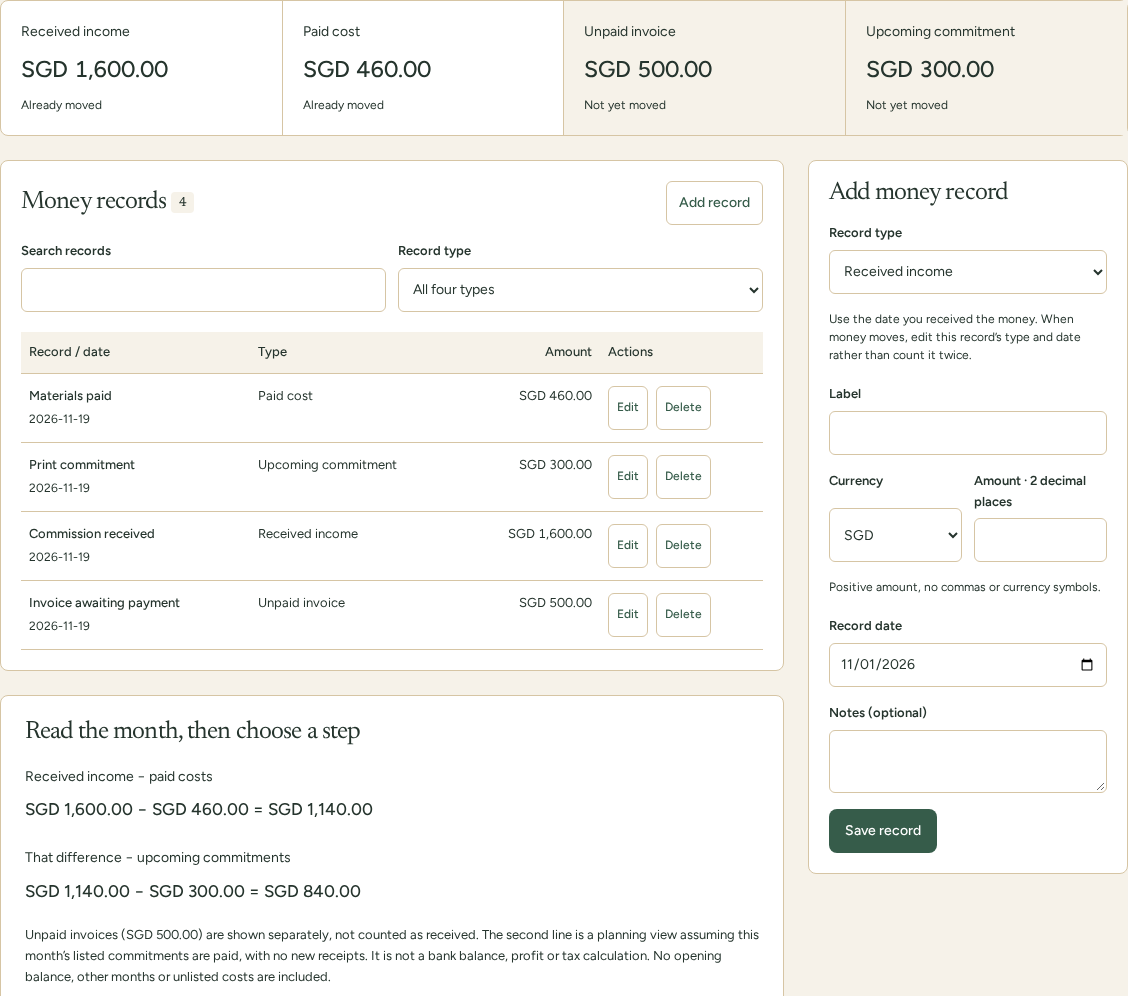
One review.
Two practical next steps.
Keep the business side close to your creative work, without starting from scratch each time.
Create your private workspace →- Separate the money. Choose one month and currency. Save received income, paid costs, unpaid invoices and upcoming commitments in four distinct categories.
- Choose a money task. Read the arithmetic and save one next step. Edit your entries as money moves.
- Make a client action specific. Save a potential client you have researched, then link a dated, time-boxed weekly action to your review.
A short optional guide helps you start. Skip, edit or resume at your pace. No bank connection or generated leads. Financial summaries help you understand the business; they are not accounting or tax advice. Research does not guarantee sales.
Start with one month.
Prefer to start on paper? Put what you know on the free sheet, then see what needs a second look.
Get the blank sheet + example →Gather the money you received and the business costs you paid. Total each list. The difference gives you a simple cash picture to review.
The free two-page PDF includes a blank worksheet and a clearly labelled example. Print it, keep it in your studio, and use it at your own pace.
Free to download. No account or email required.
Find work that fits your art.
Check one potential client before you send a pitch.
Try the free client checklist →Record your checks in the browser and copy a decision note. Prefer paper? Use five practical checks, a readable fictional illustrator example and a reusable blank research sheet.
Browser client check and three-page printable PDF. No signup needed. Research support, not a supplied lead list or guaranteed sales.
Optional: tell us which business task feels harder →What would this project need to cover?
Try costs, hours and desired hourly pay in a transparent project-price estimate.
Try the free price calculator →See the calculation and a fictional example. Review what is excluded before using the estimate in a quote.
Get the free illustrator quote sheet + example →Brief changed? Check extra illustration work →
Browser-only. No account needed. Financial inputs are not sent or saved. This is not a recommended market price.
Money clarity.
A client-search plan.
The Brindle workbook brings the business tasks that often get scattered across notebooks into one place.
The separate money & client workbook is USD 5 once. See its contents and actual preview before buying.
View workbook contents →Income and costs
Record what comes in and what goes out, with room for the details.
Monthly review
Notice patterns and choose one money task to follow through on.
Client research
Look for portfolio fit, evidence of need, and a suitable contact route.
Outreach planner
Prepare a thoughtful first message and keep track of follow-ups.
For the work
you want to keep doing.
Creative work deserves a business that can support it. Brindle exists to help artists face the money and admin side without losing their love of making.
Read our mission →Make a little room for clarity.
Choose a free browser task, or start a private saved review for the work you want to return to.